
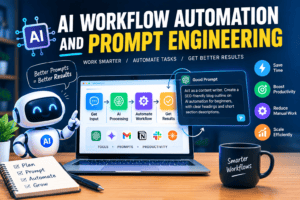
Your team didn’t start this business to copy data between spreadsheets, retype the same email reply, or manually sort support tickets. Yet most companies still lose hours to exactly this kind of repetitive work. AI workflow automation exists to take that work off your plate, and it’s more accessible than most business owners realize.
Think of this as a prompt engineering guide built specifically for AI workflow automation. You’ll see practical examples, real prompt templates, and a clear path from manual busywork to fully automated systems.
What Is AI Workflow Automation?
AI workflow automation uses artificial intelligence, usually a large language model (LLM), to handle multi-step business tasks without constant human input. Instead of just moving data between apps like traditional automation, it can read, summarize, decide, and respond. Common uses include sorting emails, drafting replies, qualifying leads, and routing support tickets automatically.
Think of it as automation with judgment built in. Traditional tools move information from point A to point B on a trigger. AI workflow automation adds a reasoning layer: it can read a customer email, figure out what the person actually wants, and draft an appropriate response before a human ever sees it.
This shift matters because so much of daily business work is repetitive but not simple. According to McKinsey’s ongoing research into generative AI adoption, regular use of generative AI inside businesses has roughly doubled year over year as companies move past pilot projects and into real deployment. That trend is exactly why AI workflow automation has moved from a nice-to-have to a competitive necessity.
What Is Prompt Engineering?
Prompt engineering is the practice of writing clear, structured instructions that get consistent, useful output from an AI model. A good prompt defines the task, the format you want back, and any constraints the AI should follow. Weak prompts produce vague answers; well-engineered prompts produce output your team can use immediately.
System Prompt Optimization Tips
Getting there takes some structure. A few habits make a real difference:
- Define the AI’s role clearly, such as “You are a customer support assistant for a software company”
- Specify the exact output format you need: bullet list, JSON, email draft, and so on
- Give one or two examples of good output so the model can match the pattern
- State what not to do just as clearly as what to do
- Test the prompt on messy, real edge cases, not just the easy examples, before rolling it out
How Do You Automate Repetitive Tasks with AI?
Start by picking one task that’s repetitive, rule-based, and time-consuming, like sorting inbound emails or drafting follow-up messages. Map out the exact steps you take manually. Then connect an AI model to that workflow using a no-code platform, write a clear prompt for the task, and test it against real examples before going live.
In practice, most teams follow roughly the same five steps:
- Pick a task that eats up real time but follows a predictable pattern
- Document the current manual process, step by step
- Choose a platform that connects your apps to an AI model
- Write and test a prompt using real, messy examples, not perfect ones
- Review the output for two weeks before removing the human check
What Are the Best AI Prompts for Workflow Automation?
The best AI prompts for workflow automation are specific about role, input, and output format. Rather than asking an AI to summarize an email, a strong prompt tells it who it’s writing for, what tone to use, and exactly how the response should be structured. Below are four templates you can adapt right away.
- Email triage prompt
“You are a support triage assistant. Read the email below and classify it as Billing, Technical, or General. Then draft a two-sentence acknowledgment reply in a friendly, professional tone. Return your answer as: Category / Draft Reply.”
- Lead-qualifying prompt
“You are a sales development assistant. Based on the lead’s company size, industry, and message below, score this lead as Hot, Warm, or Cold, and give one sentence explaining why.”
- Meeting summary prompt
“Summarize the transcript below into three sections: Decisions Made, Action Items (with owner), and Open Questions. Keep each section under five bullet points.”
- Data extraction prompt
“Extract the following fields from the document below: company name, contact email, requested service, and deadline. Return the result as a clean JSON object with those four keys.”
How Do You Integrate LLMs with No-Code Platforms Like Zapier and Make?
Most no-code AI workflows follow the same pattern: a trigger starts the process, an AI step processes or generates content, and an action completes the task. AI automation tools like Zapier and Make let you build this without writing code, connecting the AI step directly to your email, CRM or spreadsheet apps.
A simple example: a new form submission triggers the process, an AI step drafts a personalized reply, and your email tool sends it, all without a developer involved.
Zapier’s automation platform is usually the easiest starting point if your team already uses it for other integrations, since it has built-in steps for connecting to popular AI models. Make’s visual workflow builder tends to suit slightly more complex, branching workflows, since you can see multiple paths at once. Either platform works well for a first AI-powered workflow; the right choice usually comes down to which one your team already knows.
What Is Agentic AI?
Agentic AI refers to autonomous systems that can plan and carry out multi-step tasks on their own, not just respond to a single prompt. Instead of one question and one answer, an AI agent can decide which tool to use next, check its own work, and keep going until the task is actually finished.
A simple workflow automation might draft one email. An agentic system might read an inbox, decide which emails need a reply, draft each one, check the drafts against your tone guidelines, and flag only the tricky ones for human review, all without you setting up five separate steps.
This is where the technology is heading fast. Industry analysts tracking agentic AI adoption increasingly describe autonomous agents as the next major shift for business software, moving well beyond simple chatbots. If you’ve explored Odoo’s built-in predictive lead scoring, you’ve already seen a narrower version of this idea in action.
FAQ
Do you need to know how to code to use AI workflow automation?
No. Most no-code platforms, like Zapier and Make, let you build AI-powered workflows through visual, drag-and-drop interfaces. You’ll still need to write clear prompts, but that’s a writing skill, not a coding skill. Developers can add more advanced logic later, but you can start without any code at all.
How much does AI workflow automation cost to set up?
Costs vary widely based on complexity. A simple workflow using Zapier or Make plus an AI model might run a modest monthly software fee. More advanced, custom-built systems that connect multiple tools and handle complex decisions cost more upfront but often pay for themselves through time saved.
How is AI workflow automation different from traditional automation, or RPA?
Traditional automation, like RPA, follows fixed rules: if X happens, do Y, every time, the same way. AI workflow automation can handle variation. It can read unstructured text, make judgment calls, and adapt its response based on context, which makes it far better suited to tasks that don’t follow a rigid script.
How long does it take to build an AI-powered workflow?
A basic workflow, like an AI-drafted email response connected through Zapier, can be running within a day or two. More advanced agentic systems that handle multiple decision points typically take a few weeks to design, test, and refine properly before you can trust them running without supervision.
Getting Started with AI Workflow Automation
AI workflow automation isn’t about replacing your team. It’s about removing the repetitive work that keeps them from doing the parts of the job that actually need a human. Start small. pick one repetitive task, write a clear prompt, connect it through a no-code tool, and build from there.
The businesses that get the most value tend to treat this as a habit, not a one-time project. They keep refining their prompts, expand into more complex agentic workflows once the basics work, and stay hands-on enough to catch mistakes early.